Discovery user guide
Notice
On October 1, 2026, DigiCert will retire the Discovery service in CertCentral. As of this date, Discovery will no longer be available in CertCentral, and the Discovery user guide will be unpublished.
To continue using Discovery after October 1, 2026, move your Discovery capabilities to DigiCert® Trust Lifecycle Manager.
For cloud scans, you need a Trust Lifecycle Manager Essentials subscription.
For network scans, you need a Trust Lifecycle Manager Advanced subscription.
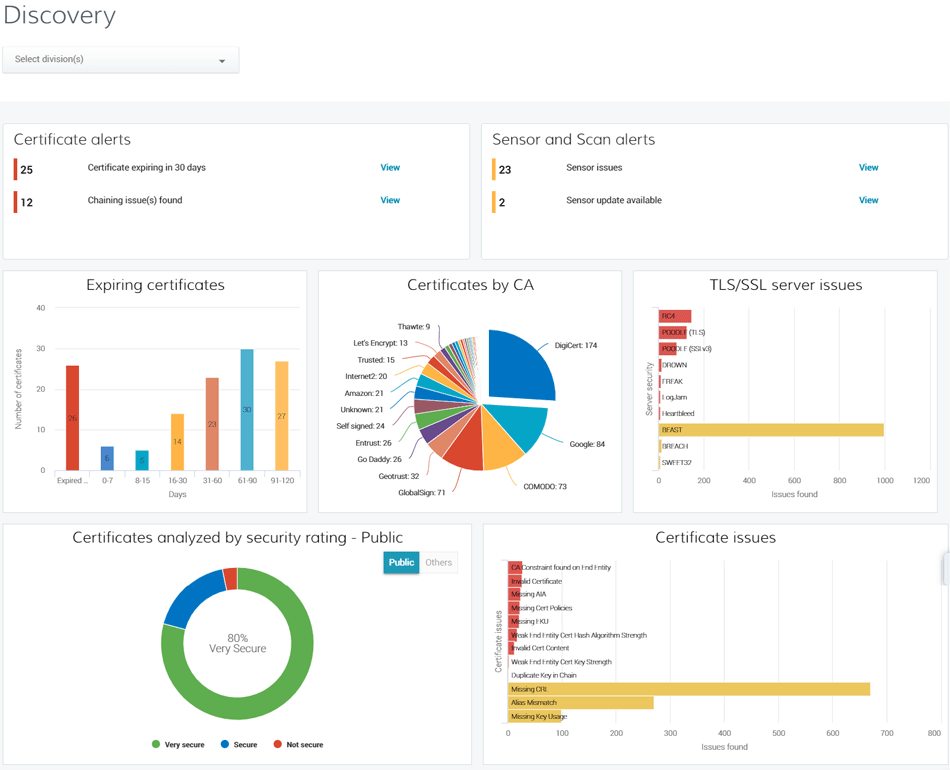
Discovery uses sensors to scan your network and find all your internal and public-facing TLS/SSL certificates regardless of the issuing Certificate Authority (CA). These sensors are small software applications that you install in strategic locations.
Each scan is linked to one sensor. Scans are configured to examine specific fully qualified domain names (FQDNs), IP addresses, and port combinations for the presence of TLS/SSL certificates. Configure scans to run immediately, once – at a specified time, or multiple times – on a set schedule.
These scans provide detailed information about certificates in your network:
Common name
Expiration date
Certificate status
Issuing certificate authority
Ports and IP addresses of the certificate host
Certificate security rating
Server security issues
TLS/SSL vulnerabilities
Scans can be used to identify the operating system of your server host, the open IP addresses and ports, and the server host of the IP addresses.