Get started
Here are some basic tenets to keep in mind while using this documentation.
Deployment models
You can set up DigiCert® Private CA in two ways:
DigiCert-hosted: Hosted and managed for you by DigiCert. Typically accessed through DigiCert ONE.
Customer-hosted: Hosted and managed in your own infrastructure (on-premises or cloud). Can be connected to DigiCert® Trust Lifecycle Manager for extended discovery, inventory, and monitoring.
In this documentation, terms like deployment, environment, and setup are used to refer to these two models. For example: DigiCert-hosted deployment, customer-hosted environment, or customer-hosted setup.
Unless noted otherwise, all information in this documentation applies to both models. When a feature or workflow applies only to one model, it is clearly called out.
Sign in and navigation
How you sign in to DigiCert Private CA depends on whether your environment is DigiCert-hosted or customer-hosted.
DigiCert-hosted deployments:
Navigate to DigiCert Private CA from your DigiCert ONE account.
Sign in to DigiCert ONE.
In DigiCert ONE, open the managers
 menu, and select CA.
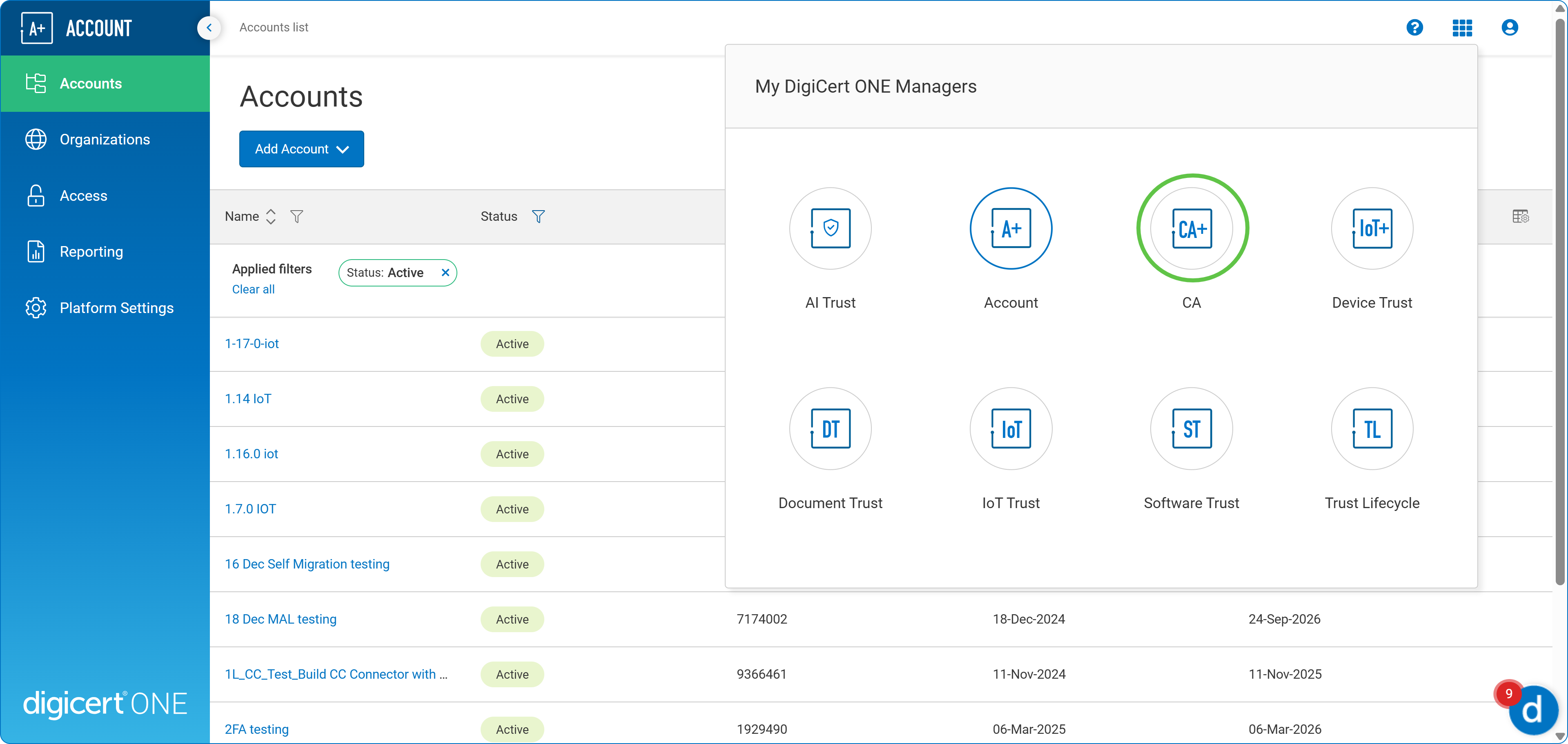
You reach the private CA interface.
Customer-hosted deployments:
Sign in to DigiCert Private CA by navigating to where you’ve installed it.
For example: https://<your domain>/certificate-authority/
User interface and menu
Both DigiCert-hosted and customer-hosted environments have almost identical capabilities.
Some capabilities which are managed by your DigiCert representative might not be present in the DigiCert-hosted environment. For example user management.
Some capabilities that work with DigiCert ONE and Trust Lifecycle Manager might not be available in the customer-hosted environments. For example accounts management.
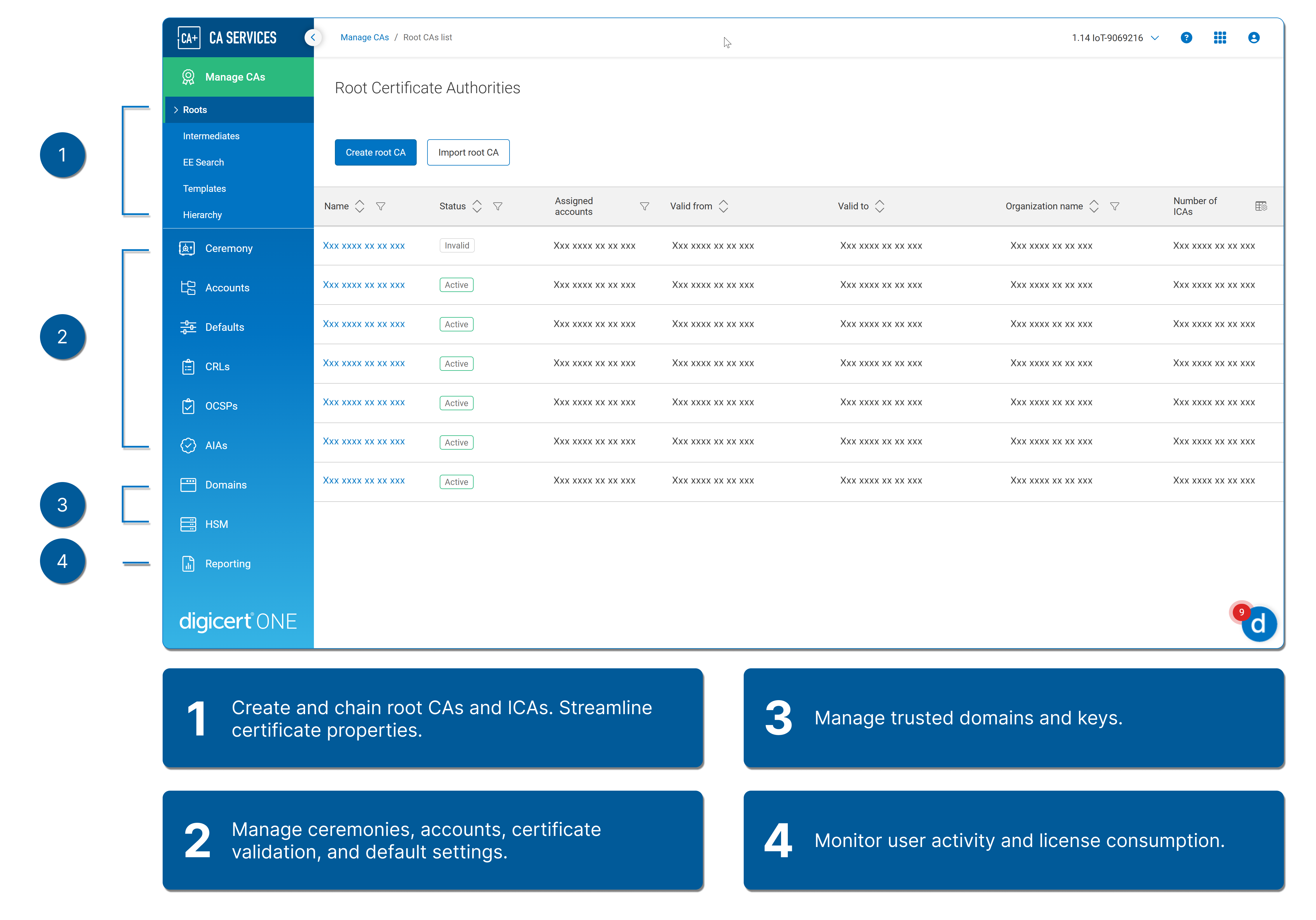
Here's a quick look at the menu in DigiCert Private CA.